Every time someone opens your software, they are not just clicking buttons, toggling options, or submitting form inputs. They are stepping into a story where they are the protagonist trying to accomplish a clear goal.
When an interface feels intuitive and effortless, it is rarely due to raw technical optimization or database speed alone. It feels right because the user flow respects classical narrative structure.
Conversely, when software feels frustrating, disorienting, or exhausting, the database did not fail. The story broke down.
The Dramatic Arc of a User Workflow
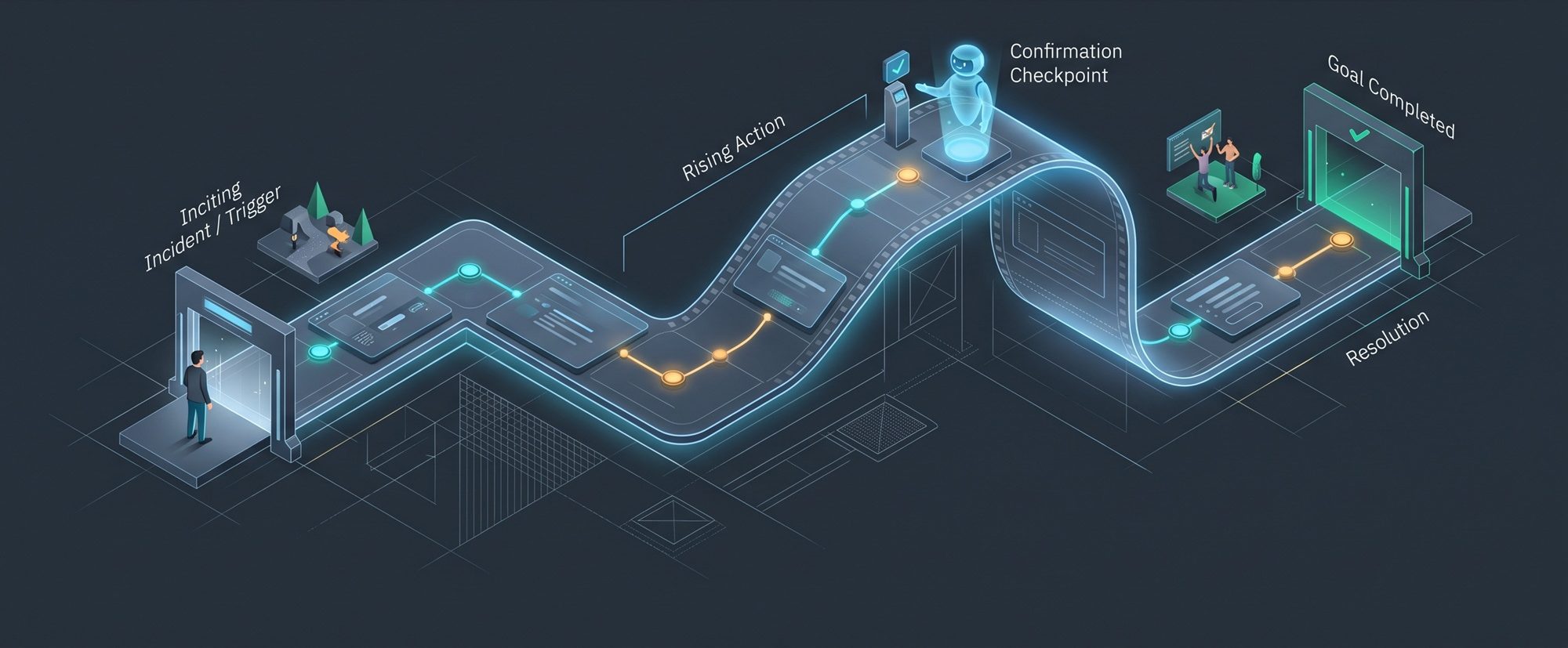
In storytelling, every compelling narrative follows an established dramatic arc: an inciting incident, rising action, a decisive climax, and a satisfying resolution. Software workflows map directly to this exact anatomy.
Donna Lichaw captured this relationship in The User’s Journey: Storymapping Products That People Love:
“The better the story, the more engaged your users will be. Structure is how story engages the human brain.”
Here is how that narrative anatomy translates into software design:
1. The Inciting Incident
The user arrives with an unresolved tension or clear business objective. A store manager needs to publish a seasonal promotion, a financial officer needs to approve payroll, or an engineer needs to deploy a critical patch. The story begins the moment they open the tool to resolve that tension.
2. The Rising Action
Every screen, input field, and decision point is a plot point. When each step follows logically from the previous one, momentum builds and cognitive load stays low. The user advances toward their goal without unnecessary subplots or distractions.
3. The Climax (and the Co-Pilot Checkpoint)
The decisive commitment where the core intent becomes reality: clicking “Publish Campaign”, “Execute Transfer”, or “Deploy Release”. This is where user attention and operational effort peak.
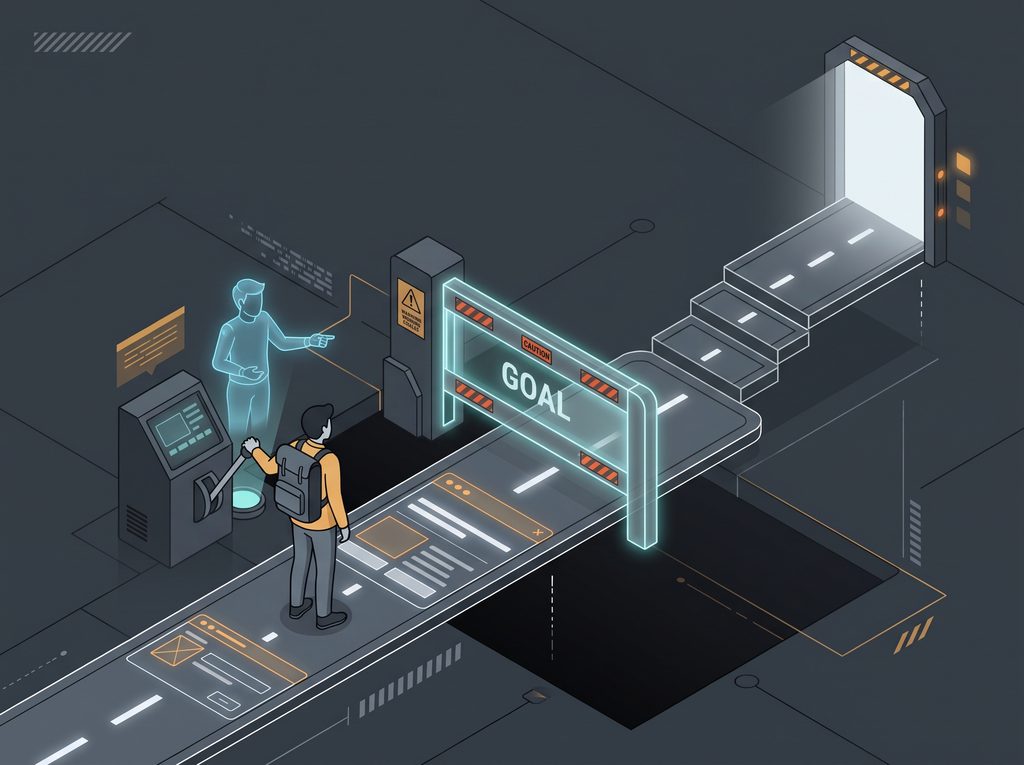
In cinematic storytelling, whenever a protagonist prepares to execute a dangerous, irreversible maneuver, a trusted colleague almost always steps in to question the decision: “Are you sure about this?”
Software needs that exact dramatic beat for high-stakes actions. When a user initiates a destructive or irreversible command, such as cancelling a major order or wiping a database, an intentional confirmation dialog acts as this co-pilot checkpoint. It creates a deliberate pause, clearly communicates the consequences, and forces an explicit, conscious commitment before the climax executes.
4. The Resolution
Immediate, unambiguous confirmation. The tension releases. The campaign is live, the money is transferred, or the release is running. The user sees clear proof of completion and leaves feeling capable and in control.
Diagnosing UX Failures as Broken Stories
When a workflow frustrates users, you can almost always trace the issue to a failure of narrative design rather than a backend limitation:
- Inconsistent Rules are Broken World-Building: In fiction, magic and physical laws must remain consistent from chapter to chapter. If magic requires an incantation in Chapter One, it cannot suddenly work on pure willpower in Chapter Four without confusing the reader. In software, this happens when design systems fracture across modules: one screen saves changes automatically in real time, while the next screen silently discards edits unless the user clicks a dedicated “Save Changes” button. The protagonist loses confidence because the fundamental rules of reality change whenever they walk into a different room.
- Overloaded Screens are Pacing Failures: Dumping forty optional form fields onto a single screen overwhelms the protagonist before the journey even starts. It is the equivalent of an author introducing twenty minor characters in the opening chapter.
- Cryptic Error Messages are Plot Holes: When a user clicks a button and is greeted by “An unexpected error occurred (Code 0x84F)”, the story loses coherence. A plot hole breaks immersion because the protagonist is given no rational explanation for why the world stopped working.
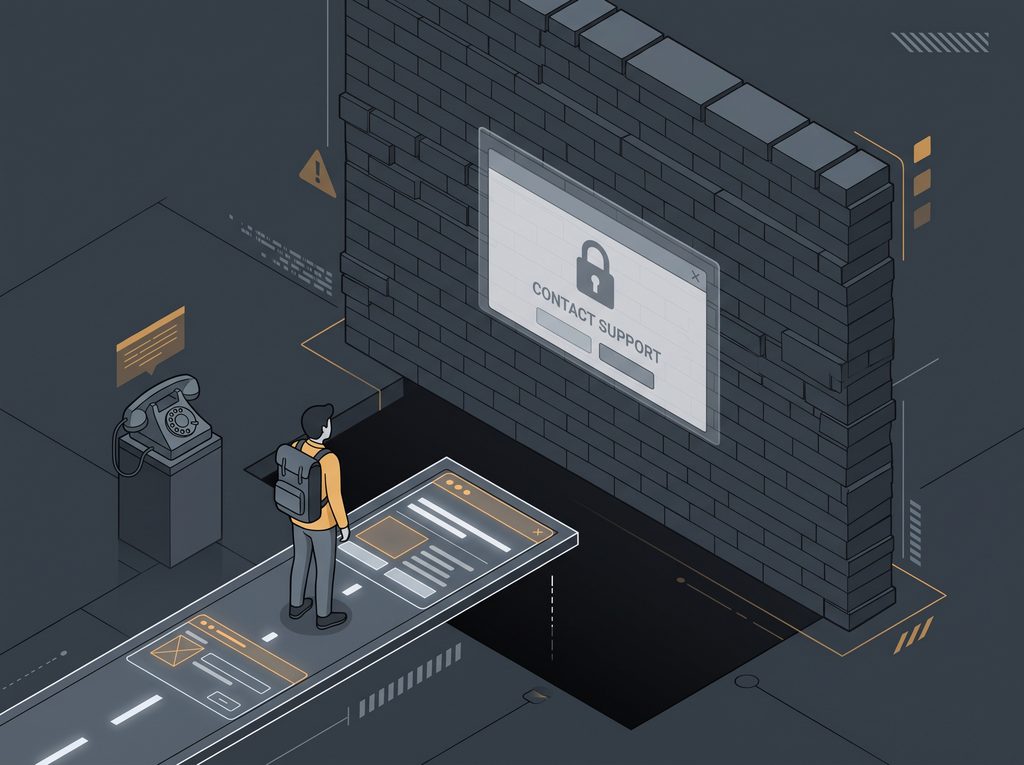
- Support-Only Blocks are Impassable Brick Walls: When an essential action is disabled with a message stating “Contact Support to enable this feature”, the protagonist slams into an unyielding wall. Their agency is stripped away, their story grinds to a premature halt, and they are forced to step completely outside the interface to wait for an off-screen actor to resolve the conflict.
- Missing Confirmations are Abrupt Endings: If a user submits a complex order and the screen simply blinks back to a blank form without an explicit success message, the story ends without closure. The user is left wondering whether their effort counted or vanished.
Designing Flows That Advance the Plot
To apply narrative thinking to your product design and software architecture, evaluate your workflows through five core principles:
1. Establish Consistent World Rules Across Chapters
A cohesive story requires coherent world-building. Decide on the fundamental laws of your interface and uphold them without exception across all modules. If your application embraces auto-saving, apply auto-saving everywhere. If a workflow relies on explicit form submissions, never leave users guessing whether a toggle took effect immediately or requires a manual confirmation. Consistent operational laws allow the protagonist to move through separate chapters without having to re-learn how reality works.
2. Cut the Unnecessary Subplots
Every input field, toggle, and dialog box is an obstacle between the protagonist and their goal. Before adding a field, ask whether it genuinely advances the plot for this specific task. If a setting is only needed by five percent of users, do not force the other ninety-five percent to confront it during the primary flow.
3. Respect the Natural Order of Decisions
In a good story, each event sets up the next. In an interface, users should never be forced to make secondary choices before their primary intent is clear. For example, never ask someone to choose advanced delivery rules, notification preferences, or device filters before they have even chosen what they are creating. Establish the core goal first, configure qualifying conditions second, provide safety checkpoints before dangerous actions, and present the final confirmation last.
4. Keep the Quest Self-Contained
Do not lead users down a narrative path only to dead-end them against administrative brick walls. If a feature or tier upgrade is required to complete an objective, provide an immediate, self-service pathway inside the flow. Never force the protagonist to abandon their journey to file a support ticket when the software could empower them to solve the problem directly.
5. Provide Immediate Closure
Humans crave closure. Once the decisive action occurs, the interface must promptly confirm success, summarize what was achieved, and present a clear next step. Do not leave the protagonist suspended in limbo.
The Storyteller’s Audit
The next time you review a wireframe, audit an existing feature, or design a new workflow, step away from the visual layout and evaluate the story:
- What is the inciting incident that brought the user to this screen?
- Are the rules of the world consistent across every module, or does the user have to guess how state persists?
- Does every single click or input advance the plot, or is it an unnecessary detour?
- Is the climax clear and confident, with appropriate pauses before risky maneuvers, or does the user hit “Submit” with hesitation?
- Can the user complete the quest on their own, or are they trapped behind an impassable wall?
- Does the resolution give them immediate proof that their goal was accomplished?
When your user flows respect narrative structure, your software stops feeling like a mechanical interface and starts feeling like an intuitive, empowering journey.